

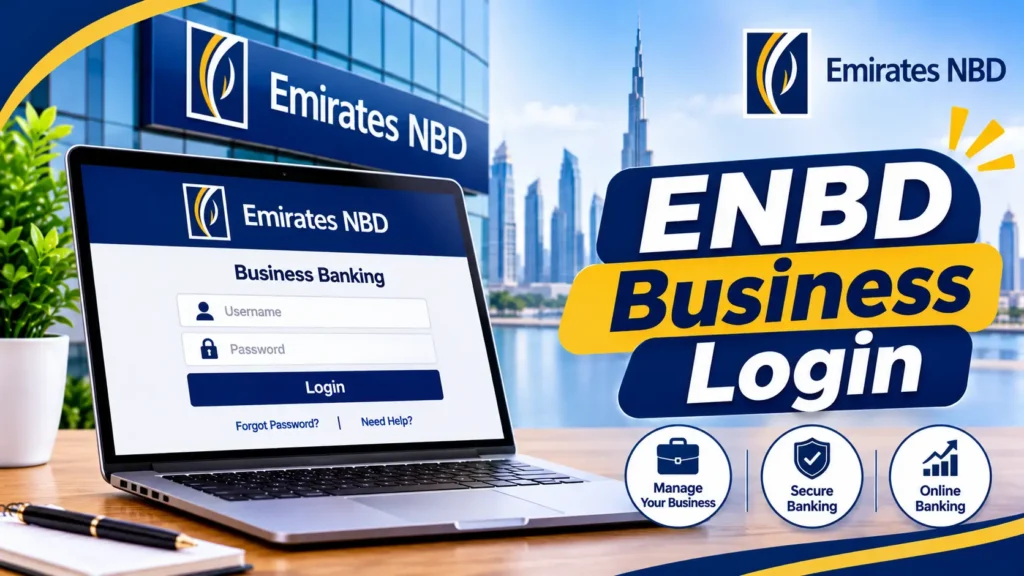
Your ENBD business login depends on which Emirates NBD business platform your company uses. Many firms use businessONLINE: you enter your Subscriber ID and User ID, then approve the sign in with a Smart Pass token from the businessONLINE X app, and finish with your password. Emirates NBD also offers a newer platform called ENBD Business, which uses facial recognition, a Smart Pass PIN, and optional biometric login.
I write about banking and business setup in the UAE, and the ENBD business login is a question owners and finance teams ask soon after they open an account. The steps aren’t hard. The confusion comes from several platforms with similar names. This guide shows which one fits your company, how the sign in works, and what to do when it fails.
Choosing the Right ENBD Business Login
Emirates NBD’s Online Banking menu lists several platforms: ENBD X Online Banking, businessONLINE, ENBD Business, signONLINE, and Brokerage. ENBD X is the bank’s mainstream app, while the other names target business and specialist needs. On its Business Banking page, the bank points account holders to businessONLINE, smartTRADE, and Phone Banking.
So which one do you use? Check your account opening Welcome Pack, ask your relationship manager, or ask your company’s Admin user. If your credentials include a Subscriber ID, you’re almost certainly on businessONLINE. If you were invited to the newer ENBD Business experience, follow the prompts you were sent.Don’t use a personal ENBD X login for company accounts unless your bank has confirmed it. Several third party pages mix up personal and business sign in steps, which wastes time.
ENBD Business Login on businessONLINE
Emirates NBD’s businessONLINE and Smart Pass user guide shows the desktop route. Go to the businessONLINE address on the bank’s website. Enter your Subscriber ID and your User ID, then click Continue. Next, you approve the sign in with a Smart Pass token. Finally, enter your password and click Submit.
Your Subscriber ID identifies the company. Your User ID identifies you inside it. Keep both in a safe place, and don’t share them in group chats.
Setting Up Smart Pass for Your ENBD Business Login
Without Smart Pass, businessONLINE guides say you receive one time PINs by SMS to your registered mobile. Smart Pass is described as a secure alternative that creates tokens on your phone.
To set it up, install the businessONLINE X app from the App Store or Google Play. Open the app, enter your Subscriber ID and User ID, and follow the prompts. You’ll create a four digit Smart Pass PIN, and the app confirms when your device is activated.To sign in on a laptop afterwards, open the app, choose the token option, and enter your PIN. Tap Generate Smart Pass Token. The app shows a six digit token that changes at regular intervals. Type it into the desktop page, add your password, and submit. The guide was last updated in May 2025, so screens may differ slightly today.
ENBD Business Login on the New Platform
Emirates NBD describes ENBD Business as its latest digital banking experience for businesses. On its ENBD Business page, it lists facial recognition, Smart Pass PIN, and optional biometric login for sign in and approvals.
I haven’t seen a full public step by step for this platform, so rely on the prompts your bank gives you. Start from the bank’s official Online Banking menu, not a search result. If you’re unsure whether your company has been moved, ask your relationship manager.
Your First ENBD Business Login After Opening an Account
The bank’s business account opening FAQs say you can register for businessONLINE when you open the account, as the Admin user. Your login credentials are sent with your Account Opening Welcome Pack. If you can’t find it, contact your relationship manager before you try random resets.
The bank also lets you track your application online from its Business Banking pages, so you know when your account is ready for its first ENBD business login.
Managing Admin and User Access
The Admin user matters more than most owners realize. Guides describe the Admin as the person who manages access for other users. That makes the Admin’s login one of the most sensitive in your company.
Name a backup Admin, remove access when staff leave, and give each person only the access their role needs. Never share one login between several employees. If something goes wrong, you’ll want to know exactly who did what.
Updating Company Details Through Your ENBD Business Login
Banks need your company details to stay current. Emirates NBD’s Business Banking page lists a KYC support link for updating your information. Keep your trade license, ownership details, and authorized signatory information up to date, because outdated records can slow down your access and payments.
If your business also uses a personal card, you may like Dubai Guided’s guide to the best credit cards for points and travel. It’s a useful read for owners who want rewards on everyday spending, though company cards follow separate bank rules.
Changing Phones and Resetting Smart Pass
Phones change, and Smart Pass is tied to a device. The bank’s Smart Pass help page, written for ENBD X, says you can’t activate Smart Pass on a device that had another user’s Smart Pass, and that a blocked profile or an outdated email or mobile number can also stop activation. The business app may differ, but the lessons are useful.
Before you replace your phone, plan the switch. Contact the bank early, because deactivating Smart Pass on the old device may need help through phone banking. Don’t wait until payment day.
Planning Your ENBD Business Login for Payment Days
Payroll, supplier payments, and tax deadlines don’t wait for a locked account. Test your ENBD business login a few days before a big payment run, not on the morning itself. Check that your phone is charged, your app is updated, and your Smart Pass PIN still works.
Also keep a short checklist for your finance team: who approves, who backs them up, and who to call at the bank if access fails. A five minute test can save a missed payment.
Fixing ENBD Business Login Problems
Start with the basics. Check you’re on the right platform, then check your Subscriber ID, User ID, and password. Make sure your phone is online, your app is updated, and your Smart Pass PIN is correct.
Still blocked? Check whether your Admin has disabled or changed your access. Try the bank’s official page in another browser, and clear cached data. If your token isn’t working, check that your phone’s date and time settings are automatic.If nothing helps, contact the bank with your company name, your User ID, and the exact message you see. Never include your password or PIN.
Contacting Emirates NBD Business Support
Use the bank’s Business Banking contact page for the current phone banking and support details. You can also visit a Business Banking centre. The bank’s site has a locator for them. Confirm opening hours before you go, and bring your company documents and ID.
Staying Safe With Your ENBD Business Login
Emirates NBD reminds customers never to share online usernames, passwords, Smart Pass PINs, card numbers and PINs, CVV numbers, or secret answers. See its security notice. Its Smart Pass guidance goes further: don’t share your PIN or token with anyone, including bank employees.
Use the bank’s official address and app only. Don’t tap sign in links in SMS, email, or WhatsApp. Keep company devices updated, and use your own mobile data instead of public Wi Fi in cafes or airports for banking.
FAQ,s
Where do I do the ENBD business login?
Use the platform your company was set up on, usually businessONLINE, through the bank’s official website or the Online Banking menu. Some companies use the newer ENBD Business platform.
What do I need for the ENBD business login on businessONLINE?
Your Subscriber ID, your User ID, your password, and a Smart Pass token from the businessONLINE X app.
What is a Smart Pass token?
It’s a six digit code generated in the app after you enter your Smart Pass PIN. You use it to sign in and approve transactions.
Is ENBD X the same as the ENBD business login?
No. ENBD X is the bank’s mainstream app. Business customers use platforms such as businessONLINE or ENBD Business.
How do I get my first ENBD business login credentials?
Business account FAQs say you can register for businessONLINE as the Admin user at account opening. Credentials arrive with your Account Opening Welcome Pack.
What if I change my phone?
Contact the bank before you switch. Smart Pass is tied to a device, and moving it may need the bank’s help.
How do I contact Emirates NBD Business support?
Use the contact page under Business Banking on the bank’s website, or visit a Business Banking centre.
Conclusion
A smooth ENBD business login starts with picking the right platform. Use businessONLINE with your Subscriber ID, User ID, and Smart Pass token, or follow your bank’s prompts for ENBD Business. Protect your PIN, manage your Admin carefully, and contact the bank early when something changes. For more practical guides to business and money in the UAE, explore Dubai Guided’s business coverage and Dubai Guided.

Get new Dubai guides in your inbox
Fresh guides on business, food, travel and life in the UAE. No spam, unsubscribe anytime.