

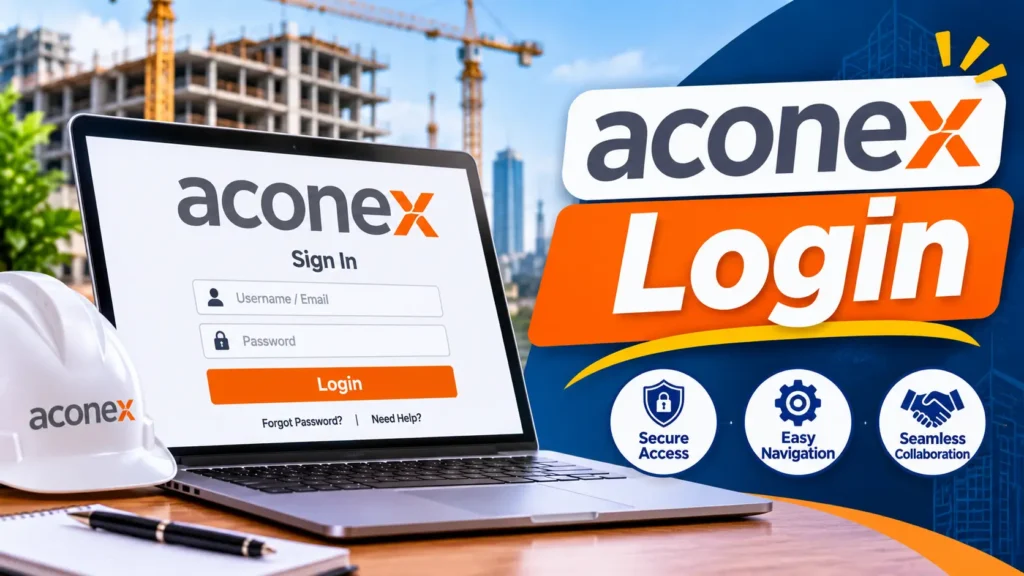
Your Aconex login starts with your email address. Open the Aconex Support Central login page, choose the Aconex instance for your project, and click Go. Then enter your email, click Next, and type your password. UAE projects may sit on the Rest of Middle East instance, but your welcome email shows the exact address. If your company uses single sign on, you’ll be sent to your company’s own login page.
I write about construction and workplace technology in the UAE, and the Aconex login is a question I hear from engineers, document controllers, and subcontractors on almost every large site. The steps look simple. The instance and Lobby setup is what trips people up. This guide pulls it together, with fixes for the problems that come up most.
What Aconex Is and Who Uses It in the UAE
Oracle Aconex is a cloud platform that construction teams use to share documents, mail, workflows, and inspections on a project. It sits inside Oracle Construction and Engineering. A single project can involve developers, consultants, contractors, and dozens of subcontractors, so everyone needs one controlled place to work.
It’s used across the UAE. Case studies describe Aconex on projects such as ALEC’s work at Dubai International Airport, Meraas City Walk, and Dubai Festival City, and on BAM International’s stadium project in Al Ain. You can read one example in this ALEC case study. Developers like those in Dubai Guided’s guide to the top 10 real estate companies in Dubai commission the kind of large builds where tools like this matter.
Before Your Aconex Login: Know Your Instance
An instance is where your project’s data is stored. Oracle says it won’t always match the place where the project is being built. Oracle’s instance list includes a Rest of Middle East instance called MEA, a separate Saudi Arabia instance called KSA1, and others for Europe, Asia, Australia, and the Americas.
So which one is yours? Check your welcome email. Your instance address sits at the bottom. You can also click any Aconex notification email, or ask your Org Admin. Bookmark the address once you have it, because it saves time every day.
Step by Step Aconex Login
Oracle’s guide to logging in directly gives these steps. First, open the Support Central login page or your bookmarked instance address. Second, select your instance and click Go. Third, enter your email address and click Next. Fourth, enter your password and click Sign in.
If you set up two step verification, you’ll then enter a verification code. If you have several linked accounts on the instance, pick the one you need. On your first login, you might be asked to accept the Terms of Service and fill in some personal details. After that, you’re in.
Aconex Login Through the Lobby
Oracle now asks all users to access Aconex through a Lobby account, which is the Oracle Construction and Engineering sign in. It lets you link your Aconex accounts across companies and instances under one email address. You can still go straight to your instance, using your email and Lobby password.
Oracle recommends the Lobby if you’re an Organization Administrator or you have more than one Aconex account. If you’re redirected to the Lobby and can’t sign in, the usual cause is an unlinked account. Link it and try again.
Aconex Login With Company Single Sign On
Some UAE contractors and developers use single sign on. After you enter your email, Aconex sends you to your company’s login page. Once SSO is set up, Aconex stops asking for a separate password. SSO is controlled per user, so one colleague might use it while another doesn’t.
If your company login fails, don’t keep retrying. Contact your Org Admin. Oracle’s SSO is a sign in service only, and user management still happens inside Aconex.
Two Step Verification for Your Aconex Login
Aconex may ask you to turn on two step verification, often called 2SV. After that, you enter a six digit code each time you sign in. Keep your authenticator app safe.
If you get a new phone or delete the app, you can’t pass the check alone. Your Org Admin has to reset 2SV for you. In the UAE, where project teams change devices often, tell your admin early so you aren’t locked out on a deadline.
Aconex Login on Your Phone
Oracle Aconex Mobile uses the same credentials as the web version. During login you also choose a Project Location, which should match the one you use on your computer. Oracle’s mobile login guide says you can’t reset a forgotten password inside the app. You have to do that in the main application.
If you use SSO, make sure your phone has a supported browser, or the company sign in may fail. Download the app only from your phone’s official store.
Resetting Your Aconex Login Password
Follow Oracle’s password reset steps. On the login screen, enter your email. Click Forgot Password? and enter your email again. A reset email arrives. Click the Password Reset button, enter and confirm a new password, and click Reset Password. Then sign in again.
If the email doesn’t arrive, check junk or spam. You can try again after 10 minutes. If it still doesn’t show, contact your IT administrator. Your Org Admin can also send a reset email.
Password rules matter. You can’t reuse your previous four passwords, and the password can’t contain your first name, last name, or username.
Fixing Aconex Login Problems
Start with the basics. Check you’re on the right instance. Check your email spelling. Make sure you’re using the right password, either your Lobby password or your company login. Oracle’s troubleshooting page says an account locks after too many invalid attempts, and a reset is needed to get back in.
If you can’t see any projects, your Org Admin or Project Admin may need to add your username to the project user list or a user group. If your account has been disabled, only your admin can restore it.
Think the platform itself is down? Check Oracle’s system status page before you raise a ticket. If your Org Admin can’t help, Support Central has a Contact Us link for Oracle Support.
Guest Users and Document Links
Not everyone has an account. If you only get emails with links to certain documents, Oracle treats you as a guest user. Guests can open what’s shared with them but can’t do everything a full user can. If you need an Aconex login of your own, ask the person who invited you to request access.
Your Org Admin is the person to ask. Every company on Aconex has one. They can add users, send password reset emails, and reset 2SV. If you don’t know who yours is, ask your document controller or project manager first, because they usually know.
Aconex Login Tips for IT Teams in the UAE
Office firewalls can block Aconex without warning. Oracle says it can’t provide fixed IP addresses for instances because they change often. So use URL based rules for allowlists instead. Add your instance address, the Lobby address, and the system status address.
Test from a normal staff laptop, not only an admin machine. Check that your mobile device policy allows the Aconex app, and that single sign on pages aren’t blocked.
Staying Safe With Your Aconex Login
Project documents can be commercially sensitive. Use the instance address from your welcome email or Oracle’s own pages. Don’t tap sign in links in unexpected emails or WhatsApp messages. Never share your password or verification code with anyone, even a colleague who says they’re in a hurry.
Search results include many copy pages that promise instant access. Skip them. Genuine help comes from Oracle’s Support Central and your own Org Admin.
Faq,s
Where do I go for the Aconex login?
Use the Aconex Log In link on Oracle’s Support Central, choose your instance, and click Go. Or use the instance address from your welcome email.
Which Aconex instance do UAE projects use?
It depends on where your project was set up. Oracle lists a Rest of Middle East instance called MEA and a Saudi Arabia instance called KSA1. Your welcome email shows yours.
Do I need a Lobby account for the Aconex login?
Oracle says all users access Aconex through a Lobby account. You can still sign in at your instance using your email and Lobby password.
Why is my Aconex login locked?
Too many wrong password attempts lock the account. Reset your password, or ask your Org Admin to help.
Can I reset my password in the Aconex mobile app?
No. Reset it in the main Aconex application, then use the new password in the app.
What if I lose my 2SV authenticator app?
Your Org Admin needs to reset two step verification for you. Then you can set it up again.
How do I contact Aconex support?
Start with your Org Admin. If they can’t help, use the Contact Us link on Oracle Aconex Support Central.
Conclusion
A smooth Aconex login comes down to knowing your instance, using the right account, and keeping 2SV under control. Bookmark your instance address, keep your authenticator safe, and use the official reset steps when things go wrong. For more practical guides to work and life in the UAE, keep exploring Dubai Guided.


Get new Dubai guides in your inbox
Fresh guides on business, food, travel and life in the UAE. No spam, unsubscribe anytime.